Mobile Banking
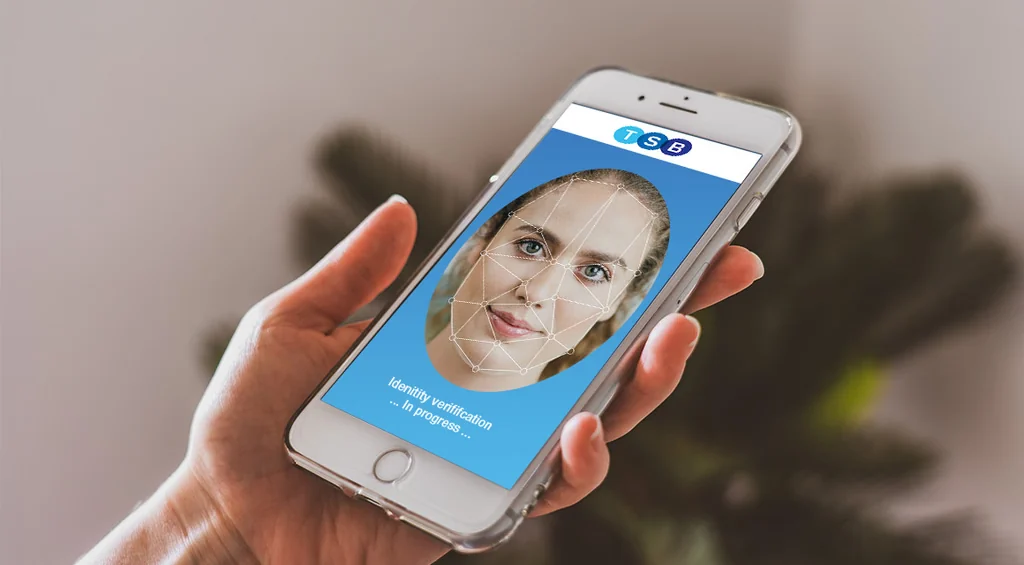
Onboarding by camera, with liveness detection.
- Industry
- Banking
- Client
- TSB, United Kingdom
- Role
- UX design, UI design and front-end development
- Date
- 2018–2019
The brief
TSB (Trustee Savings Bank) wanted to move to a completely mobile way of onboarding and servicing clients, seamless and effortless from start to finish.
The answer was liveness detection: using the camera on any phone or laptop to detect, confirm and approve a client’s true identity. Once verified, a client could be onboarded and apply for banking products and services, wherever they happened to be.
Liveness, explained
Liveness detection checks that the face in front of the camera belongs to a real person who is present at that moment, not a photo, a recording or a mask.
Paired with identity verification, it lets a bank trust an applicant it has never met in person, the way it would trust someone standing at a branch counter. In 2018, bringing that confidence to any phone or laptop was a significant step for remote banking.
My role
The scope: design, test and implement a liveness detection and identity verification service that scales to any mobile or desktop platform or device.
- DesignThe UX and UI of the verification journey, from the first message to the final confirmation.
- TestProving the journey and the verification flow work smoothly before they reach clients.
- ImplementFront-end development of the service, built to run on any phone, tablet or laptop.
From camera to client
The camera captures a short video, liveness is checked, identity is confirmed and the client is onboarded.
The journey
Six moments take a business banking client from a text message to a verified identity, with a way back if anything goes wrong.
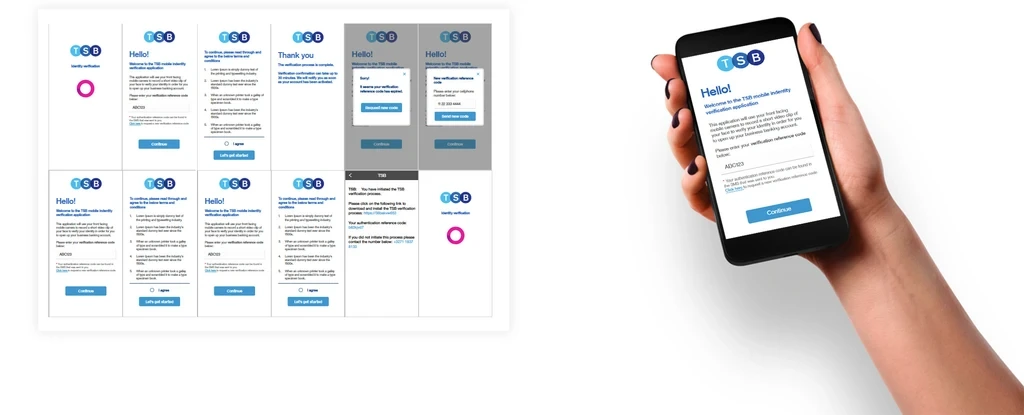
- A text to start
- An SMS brings a link to the TSB verification app and a personal reference code, plus a number to call if the client did not ask for it.
- Clear from the first screen
- The app explains up front that it will record a short video of the client’s face to verify their identity for their business banking account.
- Terms before anything else
- The terms and conditions are set out plainly, and the client agrees before getting started.
- A short video
- The front-facing camera records a brief clip of the client’s face for the liveness and identity checks.
- Expectations set
- A thank-you screen confirms the process is complete, explains that confirmation can take up to 30 minutes, and promises a notification once the account is active.
- A way back
- If a reference code has expired, the client can request a new one by entering their cellphone number, without leaving the app.
What it enabled
A bank account opened with nothing more than a phone, a reference code and a few seconds of video.
- Onboard from anywhereBusiness banking clients could prove who they are remotely, on their own device.
- Any screenOne verification service, built to scale across mobile and desktop platforms and devices.
- Clarity at every stepPlain-language screens, clear expectations and a way back when something goes wrong.